Nothing is installed on your servers
DockerHub talks to Docker over an ordinary SSH session, exactly the way the official command-line tool does. No agent, no daemon of ours, no sidecar container required.
 For iPhone
DockerHub manages the Docker containers on servers you already own. It speaks the real Docker Engine API over an ordinary SSH connection — so there is nothing to install on your machines, and no port to open.
Managing Docker from a phone usually means installing an agent, exposing the daemon on a port, or trusting somebody else's cloud with your infrastructure. None of that happens here.
DockerHub talks to Docker over an ordinary SSH session, exactly the way the official command-line tool does. No agent, no daemon of ours, no sidecar container required.
The Docker API is reached through the SSH connection you already use. Nothing new is exposed to the network, and the daemon does not need to listen on TCP.
There is no sign-in, no sync service and nothing in the middle of the connection. Credentials stay in your device keychain.
Built around one idea: a monitoring tool should tell you the truth, including when it does not know something.
Radial gauges, segmented meters and sparklines driven by real readings from the Docker daemon. Where a value cannot be measured, it is shown as unknown — never as a zero that looks like a reading.
Eleven checks across availability, observability, security and hygiene: containers with no restart policy, ports published to the whole network, the Docker socket mounted into a container, running as root, floating image tags. The grade is explainable line by line.
A density chart across the last 24 hours, repeated events collapsed into one row with their rhythm, and burst detection — several containers failing on one host inside the same minute.
Every server connects on launch. A matrix compares servers against metrics, and services against servers — so a database missing from one host is obvious.
Follow logs as they stream, open an interactive shell inside a container, browse its filesystem, and read a full inspect — over the same SSH connection.
Every colour, radius, font scale and density is a token you can change, with a contrast checker that warns rather than blocks.
Captured from the app running against a deliberately imperfect fleet: a crash-looping container, a host that refuses the connection, and a paused service. A showcase where everything is green would tell you nothing about the parts that matter.
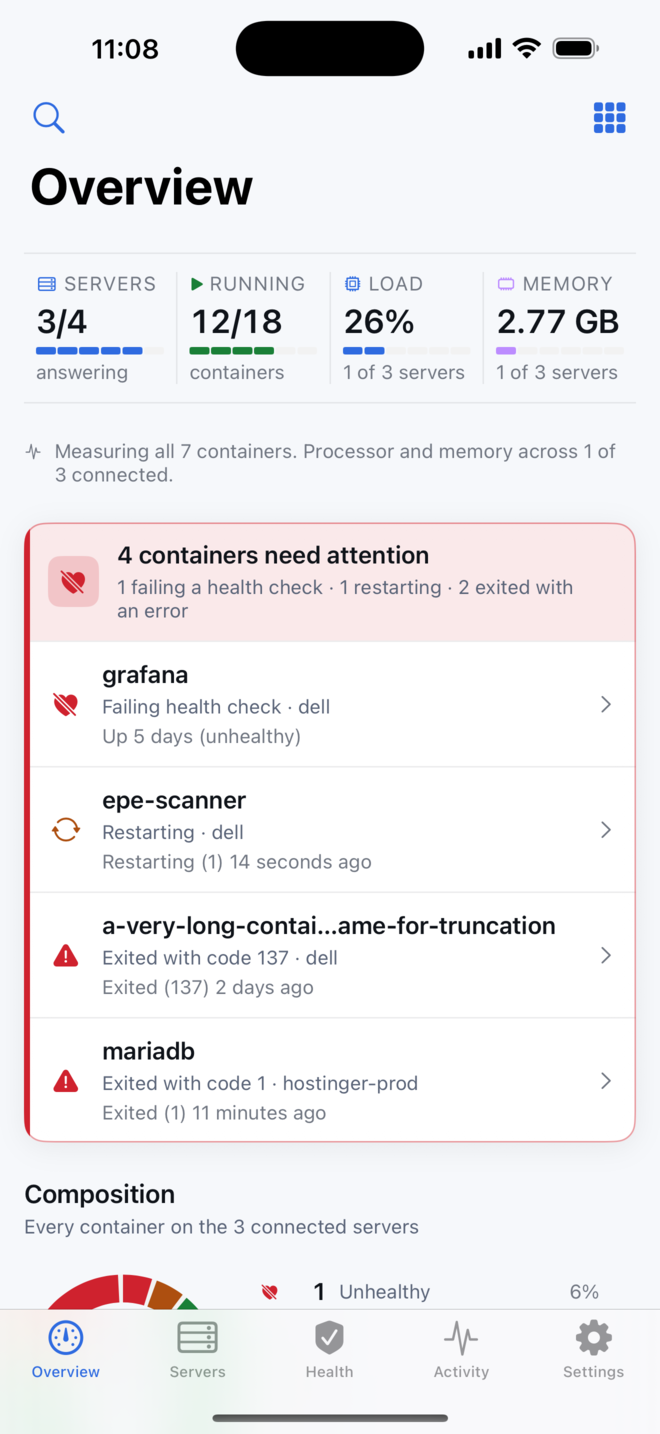
Fleet vitals across the top, then whatever needs attention — with the container state and the server it is on.
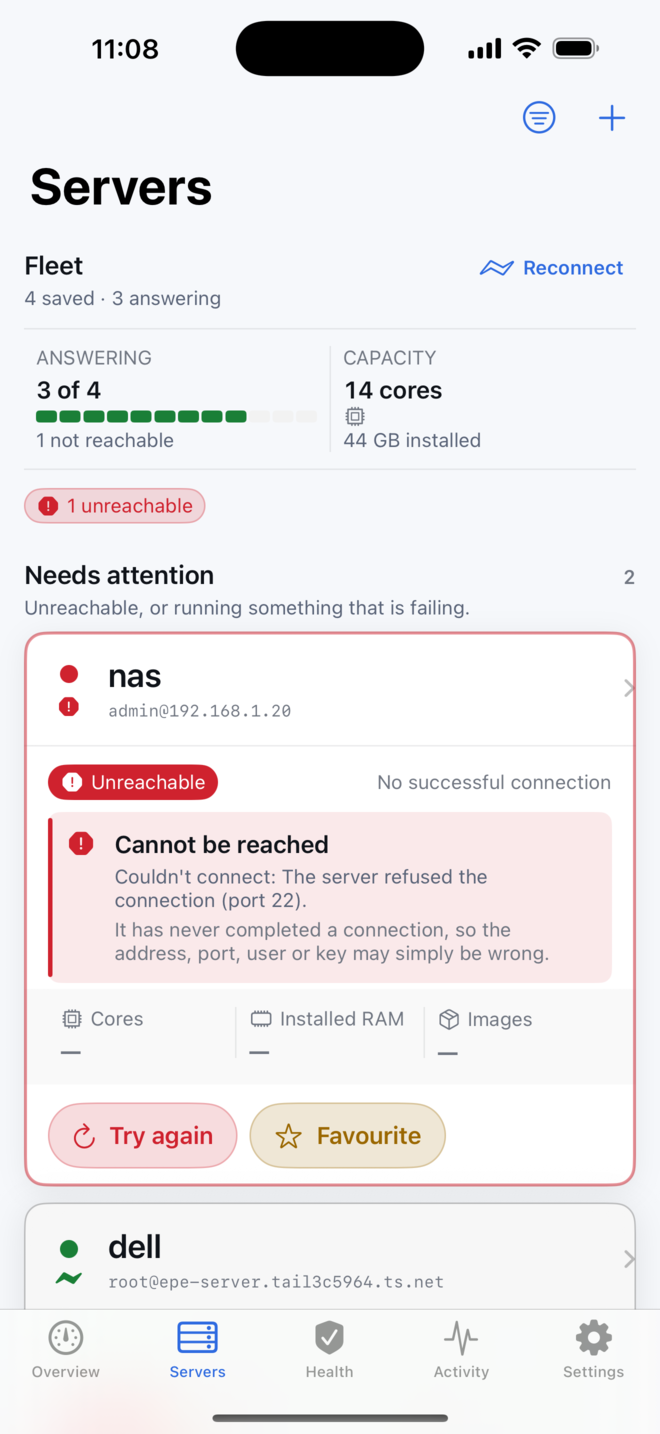
One instrument panel per machine. An unreachable host says why, and a server that stopped being watched live says that too.
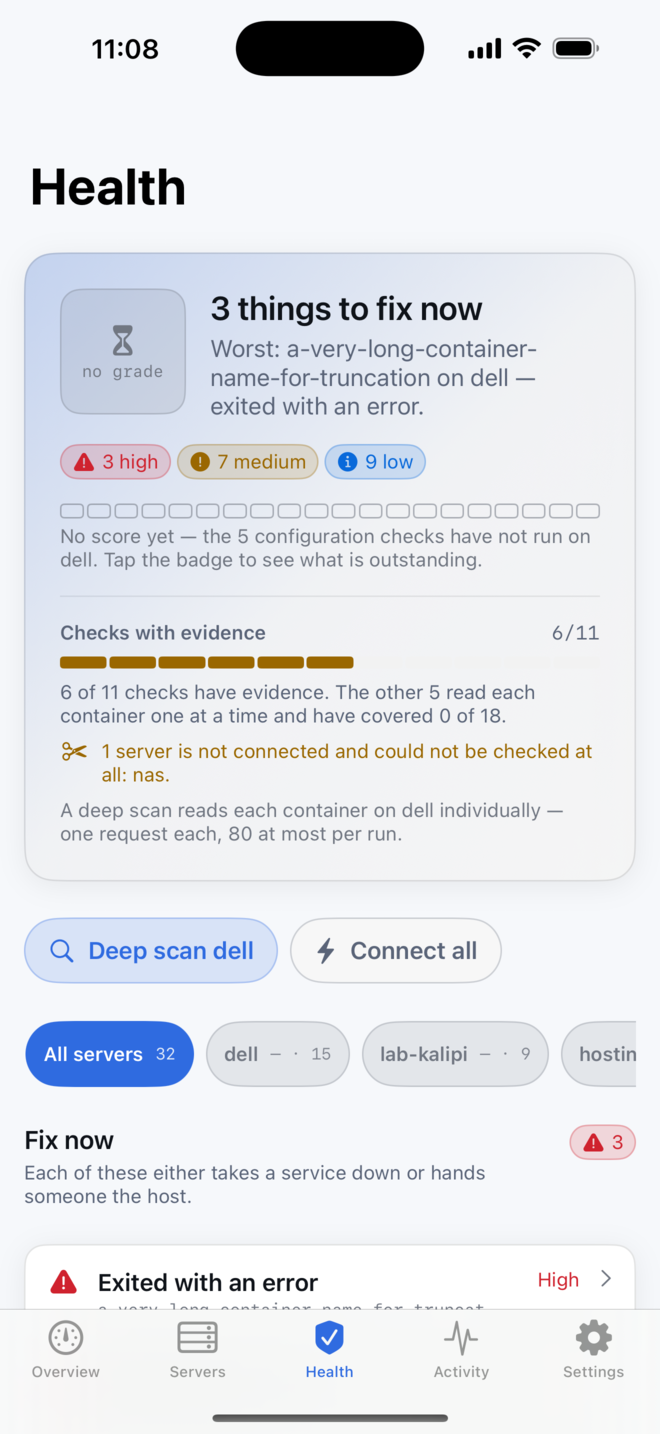
One answer at the top: how many things to fix now, and the single worst of them, named.
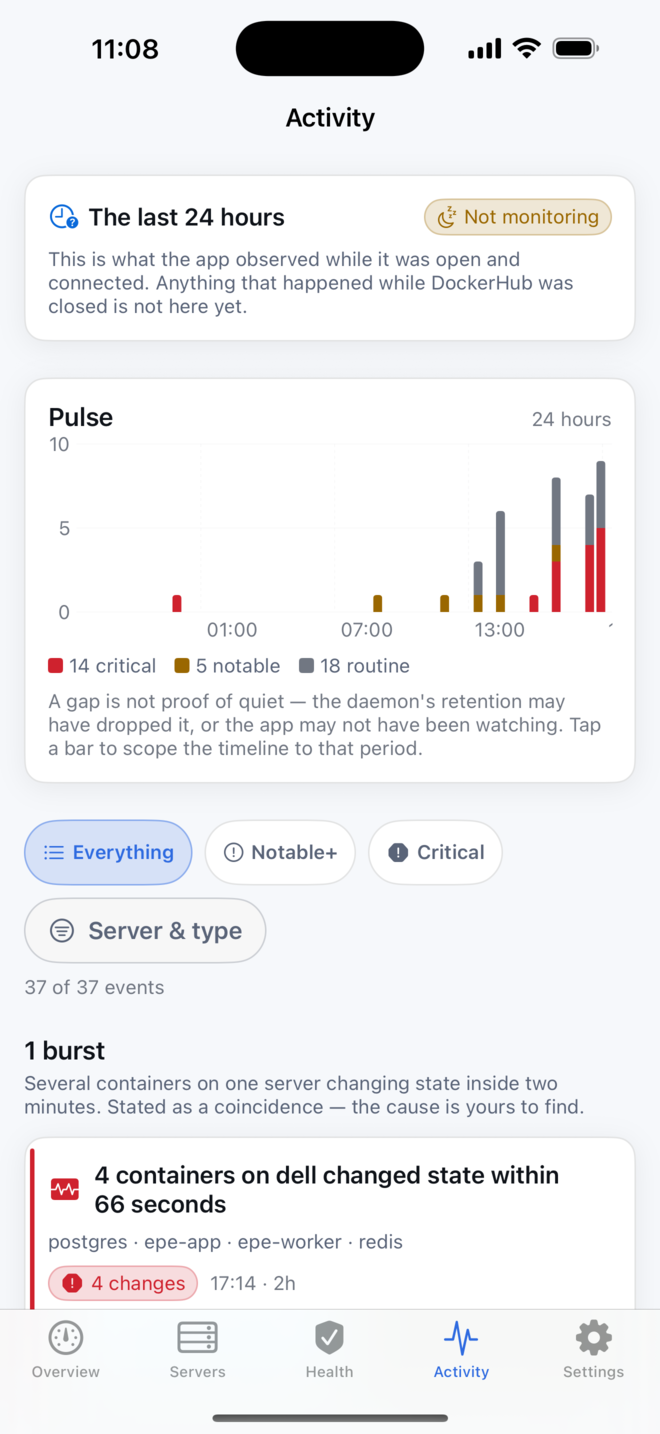
A pulse across 24 hours, split by severity. Bursts and repeated events are collapsed so the pattern is readable.
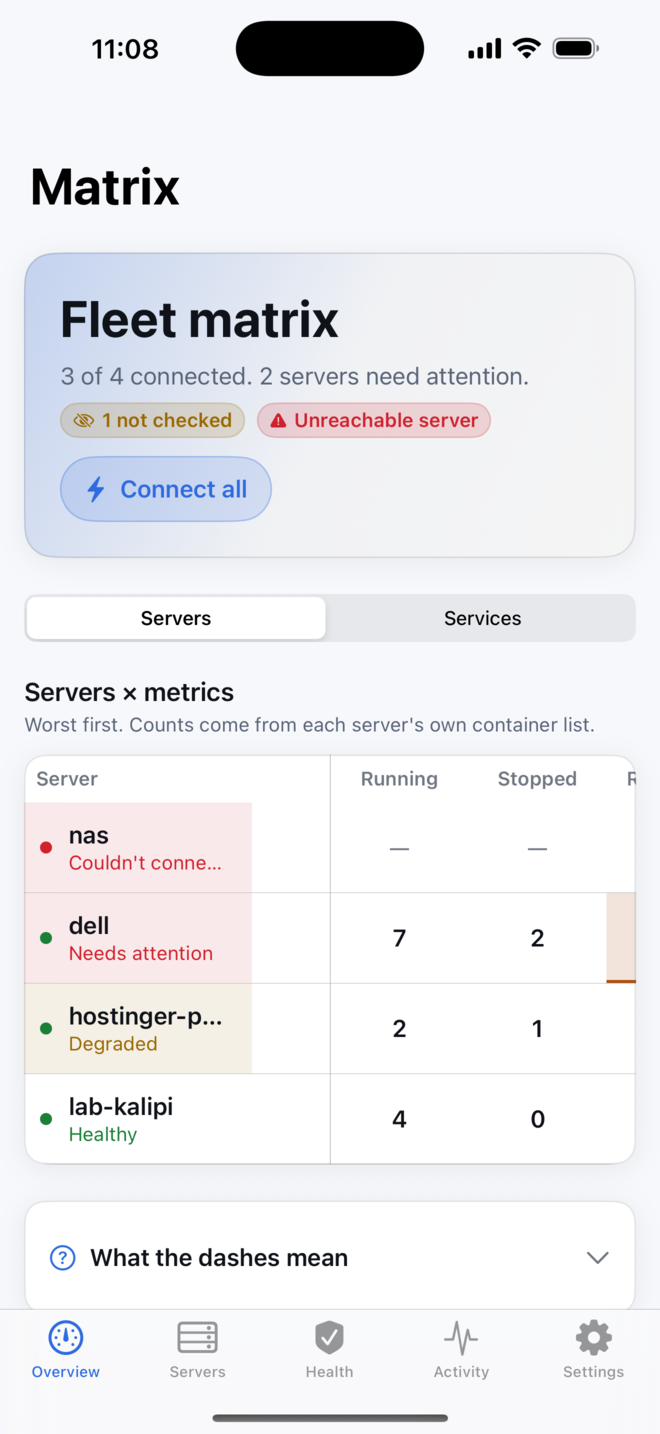
Servers against metrics, worst first. Dashes mean not measured — they never stand in for zero.
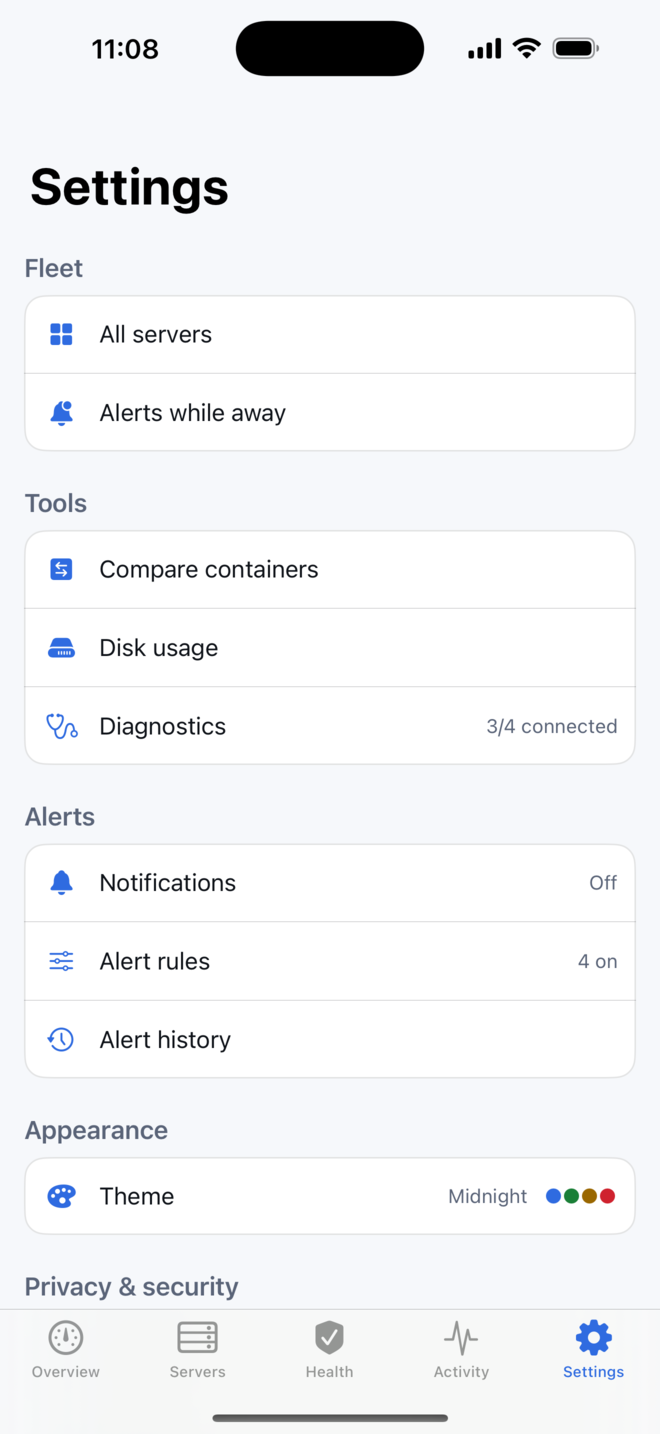
Alerts, app lock, analytics consent, diagnostics, and the theme studio.
On the numbers in these shots: Docker calculates CPU as the difference between two samples, so a single reading genuinely has none. Where DockerHub cannot measure something it draws a dash on a dashed track, never a zero on a full one — because a confident 0% and "not measured" are different facts, and only one of them is safe to act on.
The same mechanism the official Docker CLI uses for docker -H ssh://.
DockerHub signs in to your server with the credentials you gave it — a password or a private key, held in your device keychain.
Over that session it runs docker system dial-stdio and speaks
the Docker Engine HTTP API through it. Not scraped command output —
the actual API, which is what makes live logs, streaming stats and an
interactive shell possible at all.
When you close the connection there is nothing running on your server that was not running before. No agent to update, nothing new listening.